Showing posts with label Tron Bike. Show all posts

Friday, 10 January 2014

Final renders for digital systems project


The final racing car render


It's kind of weird knowing that this units finished now, I learnt a hell of a lot from it. I am pretty annoyed at myself though, because I seriously fell behind over the Christmas holidays so finishing everything for the deadline was one serious rush. Luckily my tron bike, toy car and shark were pretty much finish and so didn't really suffer for it. I'm somewhat ashamed of how unfinished and bare my table loos though.

Anyway here are my other renders for this project. 


Tuesday, 3 December 2013

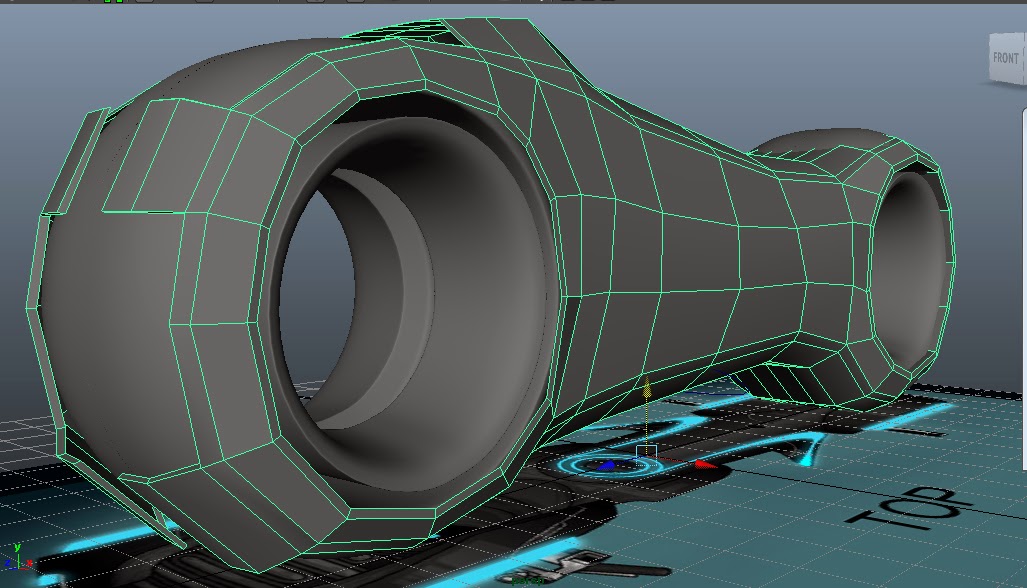
Tron Bike progress

Besides a few details, I'm pretty much done with the modelling part. I was going to finish Uving it tomorrow but after looking at my shark and realising I had done a lot less of it than I thought, I'll work on that instead. I really am still far too slow at modelling.

Sunday, 17 November 2013

Tron bike progress

I had to redo the main body of the bike because the curves I had used we too uneven at the front of the bike, so it looked terrible even when smoothed. I also notice that the model was actually a lot more detailed complicated than I origionally thought, and so also had to take this into account when remodelling.

Saturday, 16 November 2013

Work from earlier digital systems lessons part 2 - Tron Bike, lessons 2 and 3

After the second week

Class notes

Tron Bike week 1
File > Set Project > tron bike
Use the CV curve tool and revolve to model the different parts of the wheel.
Move the pivot point before revolving as it’ll revolve around that point
Lofting- for tron bike main body
Follow the shape in the side view with the cv curve tool
Duplicate and move the curve so that it follows the shape of the bike.
Select these curves and use the loft tool to create a polygon.


Tron Bike week 2
Fill side of bike using append to polygon tool
Add horizontal edge loops and shape around wheels

Cutting out parts for wheels
Duplicated and scale to -1
Join the 2 halves together using merge edge tool
add edge loops and cut of parts of frame


UV mapping
assigning Uvref to object
in hypershade, select lambert
next to colour click on the checker board
click file and add image
select the object, right click on lambert > assign to object
select object
create Uvs > choose type of mapping
adjust in UV texture editor